Monday, May 18, 2026
How to Connect Your UK Bank Account to Claude

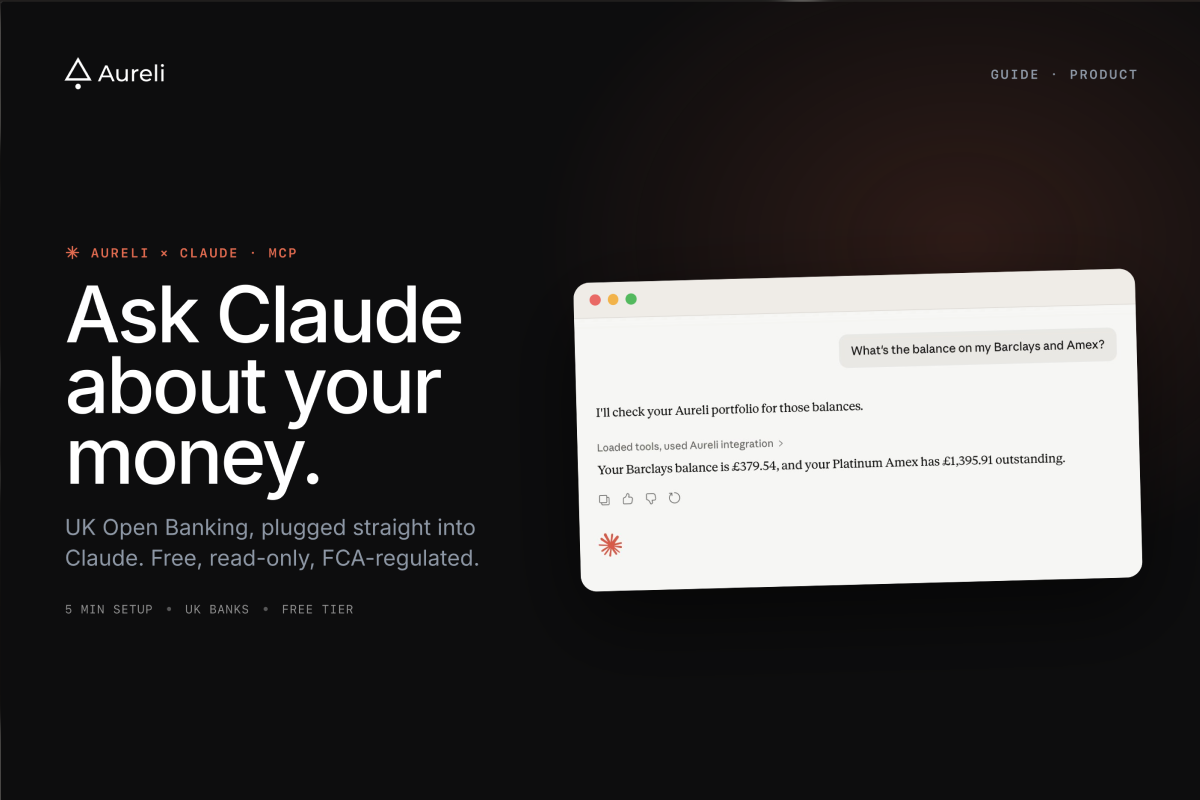
Short answer: yes, and it takes about five minutes. Claude cannot connect to a UK bank directly — it holds no banking licence and no open banking connection of its own. What it can do is read your bank data through Aureli, which holds the FCA-regulated open banking connection and exposes it to Claude as an MCP server at
https://aureli.app/api/mcpThe rest of this guide covers the setup step by step, how it compares to ChatGPT Finances, and what the security model actually is.
On 15 May, OpenAI launched ChatGPT Finances for US users — now available on both the Plus and Pro plans, but still US-only. It uses Plaid to read your bank data so ChatGPT can answer questions about your finances. We've covered the UK situation in detail in Can You Connect ChatGPT to Your Bank Account in the UK?.
If you're in the UK and use Claude, you can set up the closest equivalent today: Claude reading your balances, accounts, net worth and transactions through Aureli. Transaction data is the one part you have to opt into, and it has to be chosen at the moment you connect the bank — more on that below. This guide shows you how.
What this actually does
Aureli connects to your UK bank accounts through Open Banking. We've also built an MCP (Model Context Protocol) server, which is the standard way Claude talks to outside tools.
Put those two together and Claude can read your financial data directly from Aureli: balances across your current accounts, savings, ISAs, pensions, investments, mortgages, and credit cards. It can summarise your net worth, walk through your asset allocation, and answer questions like a finance-literate friend who happens to know your numbers.
Switch on transaction data when you connect a UK bank and Claude reads the movements behind those balances too: the date, amount, description, merchant and category of each one, and whether a payment is still pending. That is what turns "how much is in my current account?" into "what did I spend on groceries last month?". It is optional and off by default — the section below covers how to switch it on.
Claude can also update valuations on anything you track manually in Aureli — say, your property's market value or a private investment. You ask, it writes back to your portfolio. Bank-linked accounts stay synced through Open Banking, so Claude never needs to touch those.
What Claude cannot do: move money, open or close accounts, or take any action with your bank. Its access stops at Aureli.
The Aureli MCP server is free on every Aureli plan, including the free tier.
What you'll need
- A free Aureli account
- At least one UK bank account connected to Aureli via Open Banking
- Claude Desktop, the Claude mobile app, or Claude Code
- About 5 minutes
Step-by-step setup
1. Sign up at aureli.app and connect your bank accounts.
Open Banking handles the connection in the UK and we use Stripe for US accounts. You authenticate with your bank using their own app or web flow, and Aureli receives read-only access to your account balances. Lloyds, Barclays, HSBC, Monzo, Starling, NatWest, Revolut and most major UK banks are supported. Aureli also supports US bank accounts, so if you have accounts on both sides of the Atlantic you can bring them into the same portfolio.
If you want Claude to see your transactions as well as your balances, switch on Include transaction data (optional) on the review screen before you're handed over to your bank. Open Banking consents are fixed at the moment you authorise them, so that screen is the only place it can be chosen — a connection made without it has to be removed and set up again to add it. It's offered on UK connections only, not on US accounts through Stripe. Tracking bank transactions has the detail.
2. Add the Aureli MCP server to Claude.
The Aureli MCP server lives at a single URL:
https://aureli.app/api/mcp
In Claude Desktop or Claude on the web, open Settings, go to Connectors, and choose "Add custom connector". Paste the URL above. Claude will open Aureli in a browser tab and ask you to authorise the connection. Grant read access to answer questions about your portfolio, and edit access if you want Claude to update manual valuations on your behalf.
In Claude Code, run:
claude mcp add --transport http aureli https://aureli.app/api/mcp
Then follow the OAuth prompt in your browser to authorise.
The same URL works for ChatGPT, Gemini, and Grok if you use those too — just add it as a custom MCP server in their settings.
3. Start asking Claude about your money.
Once the connection is authorised, Claude will have a set of Aureli tools available. You can ask it anything about your accounts, balances, or net worth.
What you can ask Claude
A few prompts to try once you're set up:
- "What's my current net worth?"
- "How much do I have across all my ISAs?"
- "What's my mortgage balance compared to my property's equity?"
- "Break down my asset allocation by type."
- "How has my net worth changed over the last 3 months?"
- "What are my five largest assets right now?"
- "Update my flat's valuation to £450,000."
With transaction data switched on, the spending questions open up as well:
- "What did I spend on groceries last month?"
- "Find every subscription charge since January and total them up."
- "My current account is down £400 this month. What moved?"
- "Compare what I spent on eating out in Q1 and Q2."
You can go further than this. Claude can reason about the data: "If I overpaid £500 a month on my mortgage, how long would it take to clear?" or "Roughly what percentage of my portfolio is in cash versus equities?"
The quality of the answers depends on the quality of the data. The more of your accounts you connect to Aureli, the more complete a picture Claude has.
How it compares to ChatGPT Finances
Same idea, different routes:
| ChatGPT Finances | Aureli + Claude | |
|---|---|---|
| Region | US only | UK & US |
| Cost | ChatGPT Plus or Pro | Free on all Aureli plans |
| Integration | Built into ChatGPT sidebar | Aureli MCP server |
| Data | Balances, transactions & investments | Balances, valuations, net worth & UK transactions |
| Access type | Read-only | Read your data, plus update manual valuations |
If you're in the US and already paying for ChatGPT Plus or Pro, the native integration is convenient. ChatGPT Finances remains US-only, so if you're in the UK it's not available to you at all — we've written up what UK users can do instead. Aureli + Claude is the closest UK equivalent, built around UK Open Banking — and works for US accounts too. The honest difference left in the data row is scope: transaction data is offered on UK connections through Finexer, not on US accounts through Stripe, and you opt into it per connection rather than getting it by default.
Security and privacy
A few things worth being clear about. If you want the wider picture first, we've written a separate guide on whether it's safe to connect AI to your bank account.
Open Banking is FCA-regulated. Aureli Tech Limited (FRN 1056139) is a registered agent of Finexer Ltd (FRN 925695), which is authorised and regulated by the Financial Conduct Authority as an Account Information Service Provider (AISP).
Aureli never sees your banking credentials. When you connect a UK bank, you authenticate directly with the bank. Finexer receives a token that grants read-only access to account information and balances, and shares that information with Aureli. Learn more
Claude's MCP access is scoped to Aureli, not your bank. The MCP server exposes a fixed set of tools: read your portfolio data, read transactions on the accounts you opted in, and write new valuations against assets and debts inside Aureli. Both transaction tools are read-only. It cannot move money, alter bank connections, or take any action with your bank. You choose whether to grant edit access when you connect.
Transaction data is opt-in, and deleting it is one click. Leave the toggle off and nothing changes: Aureli syncs balances as before and there are no transactions for Claude to read. Where you switch it on, Delete transaction data in the connection's menu permanently removes every transaction Aureli holds for it, leaving your accounts, balances and holdings untouched.
You can disconnect at any time. Revoke a bank connection inside Aureli or your bank and remove the MCP server from Claude's config whenever you like. Both take seconds.
We don't sell your data. We don't share it with advertisers. The full details are in our privacy policy.
One thing to keep in mind: anything you discuss with Claude is processed by Anthropic according to their terms. If that matters to you, Claude Desktop and Claude Code both let you control conversation history.
Common questions about connecting Claude to your bank
Can Claude connect to my bank account?
Not directly. Claude has no banking connection of its own, so it reaches your accounts through a service that already holds one. Aureli holds an FCA-regulated open banking connection to your UK banks and exposes your portfolio to Claude through its MCP server, so Claude reads the balances, valuations and — where you switch transaction data on — the transactions Aureli has already synced, rather than talking to your bank itself. That indirection is the point: it keeps the regulated connection with a regulated firm, and gives you one place to revoke access.
Does Claude support UK open banking?
Not on its own — Claude is not an open banking participant and holds no FCA authorisation. UK open banking access comes from the tool you connect it to. Aureli Tech Limited (FRN 1056139) is a registered agent of Finexer Ltd (FRN 925695), which is authorised and regulated by the FCA as an Account Information Service Provider, so connecting Aureli is what puts UK open banking data in front of Claude. The same applies to ChatGPT, Gemini and Grok, which reach the data through the same Aureli MCP server.
Can Claude see my bank transactions?
Yes, if you switch transaction data on. It is optional and off by default: an Include transaction data toggle appears on the review screen when you connect a UK bank, and because Open Banking consents are fixed once authorised it has to be chosen then rather than added later. With it on, Claude can list the accounts carrying transaction data and read their transactions for a date range you specify — date, amount, description, merchant, category, and whether a payment is still pending. A single read returns up to 200 transactions, so where a span holds more than that Claude narrows the range and reads again. Both tools are read-only, included on every Aureli plan, and you can delete every transaction Aureli holds for a connection at any time without touching your balances. It is offered on UK connections only, not on US accounts through Stripe.
Is it safe to connect Claude to my bank?
Claude never touches your bank. You authenticate directly with your bank's own app or website, your credentials are never shared with Aureli or Anthropic, and the bank connection itself is read-only whatever you grant Claude. Claude's access stops at Aureli, and you choose its scope when you connect: read-only, or read plus permission to update valuations you maintain by hand, such as a property estimate. Under either scope it cannot move money, open or close accounts, or alter a bank connection. The one thing worth weighing is that whatever you discuss with Claude is processed by Anthropic under their terms, so if a figure is sensitive to you, that is the part to think about rather than the bank link.
Which UK banks work with Claude?
Any UK bank Aureli can connect to, which covers most of the market — Lloyds, Barclays, HSBC, NatWest, Santander, Nationwide, Monzo, Starling and Revolut among them, along with their business and commercial variants. Once an account is connected to Aureli it is visible to Claude automatically, with no per-bank setup on the Claude side. The complete list is in our knowledge base article on supported UK banks.
Get started
Sign up at aureli.app, connect a bank account, and paste
https://aureli.app/api/mcpFive minutes from now, Claude will know what your money is doing.
More on connecting your bank to AI and spreadsheets
Connect your UK bank account to Grok
Add Aureli as a custom connector in Grok so it can read your balances, net worth and transactions.
Can you connect ChatGPT to your bank account in the UK?
What is and is not possible for UK users today, and the Developer Mode route that does work.
Is it safe to connect AI to your bank account?
What read-only, scoped open banking access actually means, and what to check before you connect anything.
Connect Google Sheets to your bank account
Keep a spreadsheet that updates its own balances every morning, without copying numbers by hand.
Knowledge base: connecting Aureli to Claude
The step-by-step setup for Claude Desktop and Claude Code, including where to find your connection details.
Knowledge base: connecting Aureli to ChatGPT
ChatGPT can read your Aureli portfolio, but only through Developer Mode: web only, and you approve each tool call.
Knowledge base: connecting Aureli to Grok
The step-by-step setup for adding Aureli as a custom connector in Grok.
Knowledge base: connecting Aureli to Gemini
The step-by-step setup for connecting your Aureli portfolio data to Google Gemini.
Knowledge base: supported UK banks
The full list of UK banks and building societies Aureli can sync balances from.
Connect your bank accounts
How automatic balance syncing works in Aureli, over FCA-regulated open banking with read-only access.