Friday, May 15, 2026
Connect Your Bank to Aureli

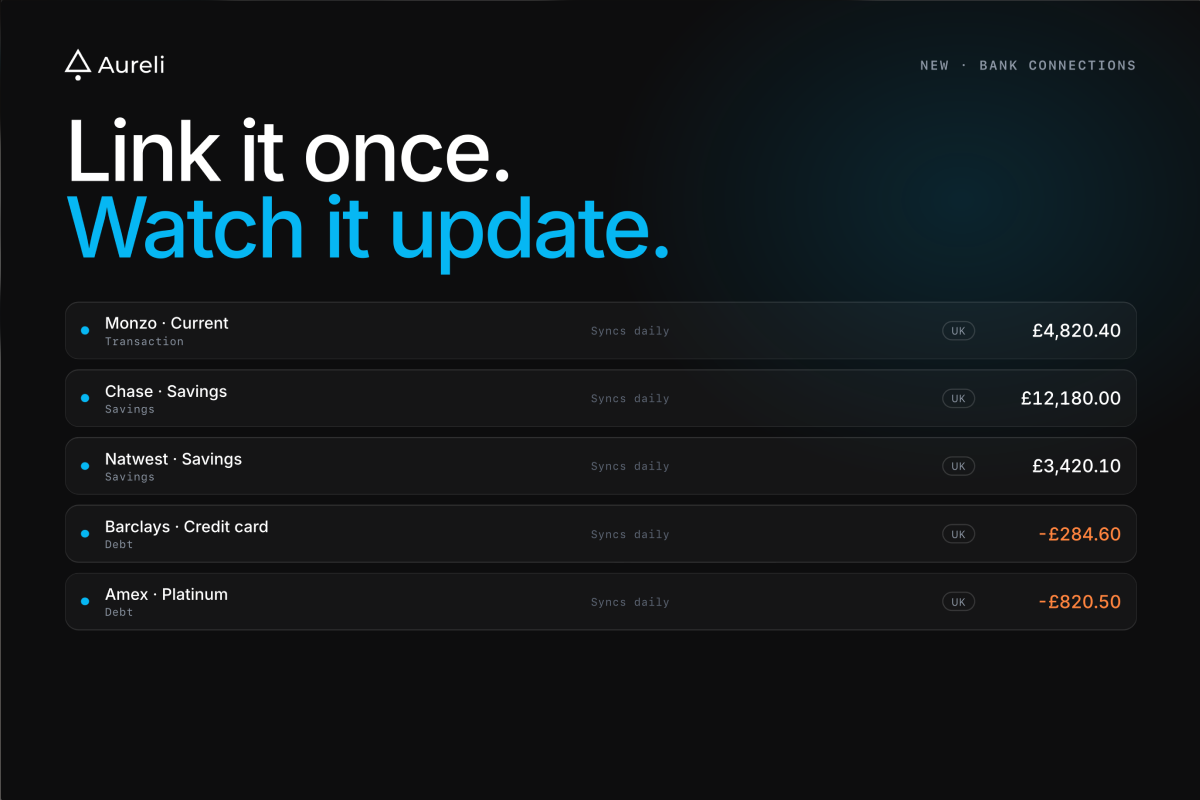
Manually keying in your current-account balance every week was always going to be the weakest part of any net-worth tracker. Starting today, Aureli can connect your bank account directly. Your balances update on their own.
UK and US bank accounts are supported at launch.
How it works
From any portfolio, choose Add asset (or debt) → Connect a bank account. Pick your country, search for your bank, and approve the connection in your bank's app or browser flow. Aureli imports the accounts you choose and refreshes their balances for you.
You can manage your connected accounts at any time via Connections
Each linked account creates an asset (for current and savings accounts) or a debt (for credit cards). They're auto-categorised: current accounts go to Transaction Account, savings go to Savings, credit cards become a debt, and investment accounts route to Stock. You can re-categorise anything if our guess is wrong.
UK balances update multiple times daily. US balances update weekly.
Read-only, and that's it
The connection is read-only on both sides:
- UK accounts are connected via Finexer, an FCA-authorised Account Information Services Provider. The consent you grant is for balance information only. No payment initiation, no movement of money.
- US accounts are connected via Stripe Financial Connections, built on the same bank-grade infrastructure that handles Stripe's payments business.
Neither provider, and neither does Aureli, has the ability to move money out of your accounts. The data flows one direction: bank to Aureli, balance numbers only. We don't store your bank credentials; you authenticate with your bank, not with us.
What we store, and what we don't
We store the account name, the account type, and the running balance. That's what powers your net-worth chart and your asset breakdown. We don't store transactions, payee names, or any line-item detail.
Everything is encrypted at rest. The full picture of how we handle your financial data is on our security page, including encryption, retention, and how the AI features stay zero-retention.
Where this fits with manual tracking
Aureli was built around the idea that some assets need a person to value them: a property, a private company stake, a pension that won't sync. None of that changes. Bank connections are for the parts of your portfolio that genuinely can update themselves, so you can spend your time on the parts that need judgement instead of data entry.
A typical Aureli portfolio after this update might look like:
- Auto-syncing: current accounts, savings, credit cards, brokerage accounts (via bank link); stocks, crypto, commodities (via market-data feeds).
- Manual: property, private equity stakes, personal-property valuables, employer pensions that don't expose an API.
The auto-syncing side is now most of the picture for most people.
Plan limits
Bank connections are available on every plan, including Lite. Lite users can connect one bank account as a try-before-you-buy slot. Pro lifts that to 20 linked accounts. Stocks, crypto and commodities continue to count against their own auto-updating quota, separately from linked bank accounts.
Getting started
Open any portfolio, hit Add asset, and pick Connect a bank account. The whole flow takes about a minute. If you want to walk through it once before doing it for real, every step is reversible. You can disconnect from the connections page at any time and nothing is left behind.
Questions about how it works, what data is stored, or how to remove a connection? The security page is the place to start.